PX Pay Interface for the Hosted Payments Package

PX Pay allows merchants to send transactions to Payment Express® via HTTPS posts to https://sec.paymentexpress.com/pxpay/pxaccess.aspx. Payment Express® responds with a unique URL for an SSL secure payments page at which the user will be prompted to enter their credit card details and complete the transaction. The result is displayed and the user is automatically directed back to the merchant's website. The result and other transaction details can then be extracted by the merchant. PX Pay is platform independent as transaction requests and responses are made using XML which can be generated and  read in any programming language.

Technical Specifications/Features:
  • No DPS software required
  • No SSL certificate required
  • Fail-proof result notification
  • Multiple Account Selection - Unsecured web sites can link to different customized secure payment pages depending on which merchant account the transaction should be charged to.
  • Optional reference fields are available to hold information that will appear on transaction reports.
  • Multi-Currency Support
  • Demonstration site at www.dpsdemo.com

Requirements/ Downloads:

Using PX Pay

How it works

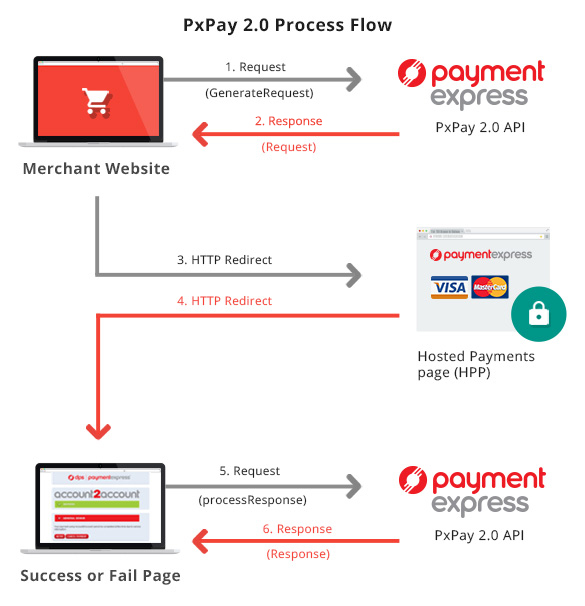
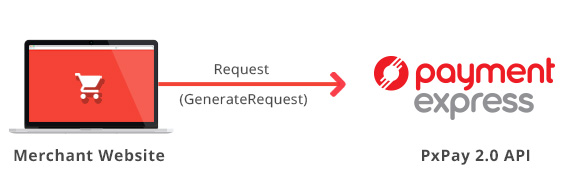
  1. Send XML transaction request (GenerateRequest) to PaymentExpress®
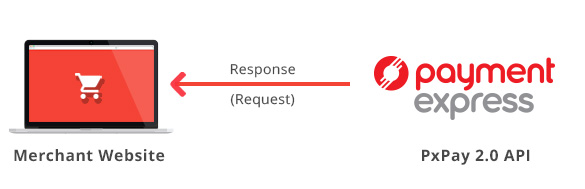
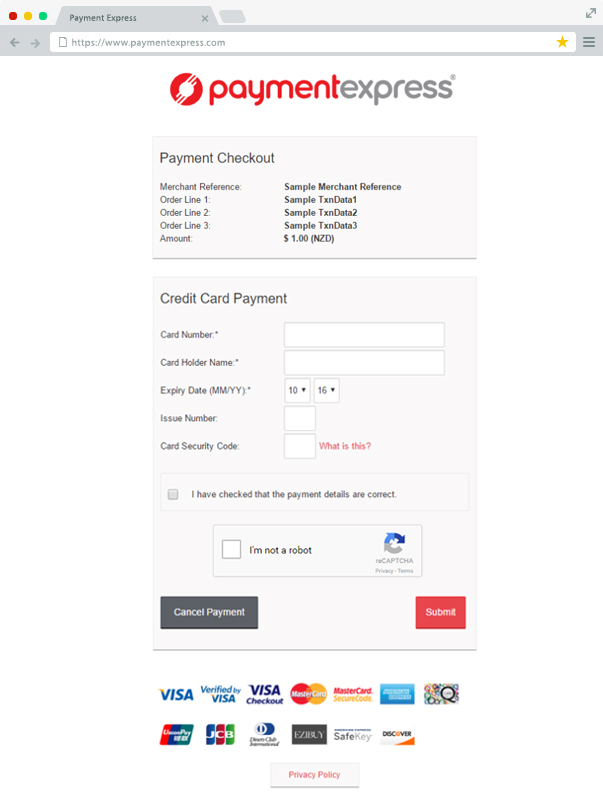
  2. Receive XML response (Request) with the URI element (encrypted URL), which you use to redirect the user to Payment Express® so they can enter their card details
  3. Cardholder enters their details and transaction is sent to your bank for authorisation. The response is given and they are redirected back to your site with the response
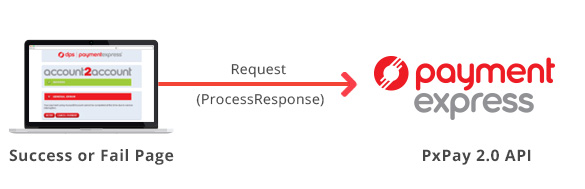
  4. You take the "result" parameter (encrypted URL response) in the URL string and use this in the "Response" element, to send the response request (ProcessResponse) to Payment Express to decrypt and receive the XML response back.
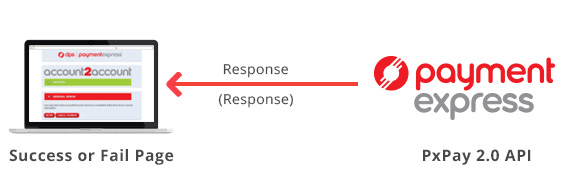
  5. Receive XML response (Response) with the result of the transaction.

Transaction Request

The following is a description of the inputs and outputs of the transaction request.

GenerateRequest (Input XML Document)

Input Element Required Description

PxPayUserId

Yes

Your account's user ID

PxPayKey

Yes

Your account's 64 character key

AmountInput

Yes

Amount value in d.cc format

BillingId No Optional identifier when adding a card for recurring billing

CurrencyInput

Yes

Currency of AmountInput

EmailAddress

No

Optional email address

EnableAddBillCard No Required when adding a card to the DPS system for recurring billing. Set element to "1" for true

MerchantReference

Yes

Reference field to appear on transaction reports

TxnData1

No

Optional free text

TxnData2

No

Optional free text

TxnData3

No

Optional free text

TxnType

Yes

"Auth" or "Purchase"

TxnId No A value that uniquely identifies the transaction

UrlFail

Yes

URL of the merchant transaction failure page. No parameters ("&" or "?") are permitted.

UrlSuccess

Yes

URL of the merchant transaction success page. No parameters ("&" or "?") are permitted.

Opt

No

Optional additional parameter


<GenerateRequest>
<PxPayUserId>TestAccount</PxPayUserId>
<PxPayKey>dc339b3126c8fbadf4b30b498ded6a62a17b5f831e3111116bd8 e332c730bbc8</PxPayKey>
<AmountInput>2.06</AmountInput>
<CurrencyInput>NZD</CurrencyInput>
<MerchantReference>Test Transaction</MerchantReference>
<EmailAddress></EmailAddress>
<TxnData1>28 Grange Rd</TxnData1>
<TxnData2>Auckland</TxnData2>
<TxnData3>NZ</TxnData3>
<TxnType>Purchase</TxnType>
<TxnId>P777575CA3DDA78C</TxnId>
<BillingId></BillingId>
<EnableAddBillCard>0</EnableAddBillCard>
<UrlSuccess>http://www.mycompany.com/success.cfm</UrlSuccess>
<UrlFail>http://www.mycompany.com/fail.cfm</UrlFail>
<Opt>TO=0901142221</Opt>
</GenerateRequest>

Request (Output XML Document)

Output Element Description

valid [Attribute]

Whether the request was valid. "1" for valid and "0" for an invalid request

URI

URL including encrypted transaction request that you will need to redirect the user to.


<Request valid="1">
<URI>https://sec.paymentexpress.com/pxpay/pxpay.aspx?userid=TestAccount
&amp;request=e88cd9f2f6f301c712ae2106ab2b6137d86e954d2163d1042f73cce130b2c 88c06daaa226629644dc741b16deb77ca14ce4c59db84929eb0280837b92bd2ffec 2fae0b9173c066dab48a0b6d2c0f1006d4d26a8c75269196cc540451030958d257c1 86f587ad92cfa7472b101ef72e45cda3bf905862c2bf58fc214870292d6646f7c4ad 02a75e42fc64839fc50cea8c17f65c6a9b83b9c124e2f20844b63538e13a8cff17ec d8f165aee525632fd3661b591626f5fb77725ade21648fed94553f43bfa69acf3557 0ff8fdcbaf8a13a3fa7deb244017e41749e652a3549a5dbe20c6c3a7a66aa5901e3f 87150f7fc</URI>
</Request>

Transaction Response

The following is used to decode the result of the transaction after it has been submitted and get the XML response back.

ProcessResponse (Input XML Document)

Input Element Required Description

PxPayUserId

Yes

Your account's User ID

PxPayKey

Yes

Your account's 64 character key

Response

Yes

The encrypted URL response from DPS, which you can obtain from "result" parameter in the URL string that is returned to your response page.


<ProcessResponse>
<PxPayUserId>TestAccount</PxPayUserId>
<PxPayKey>dc339b3126c8fbadf4b30b498ded6a62a17b5f831e3111116bd8 e332c730bbc8</PxPayKey>
<Response>df6cc75b4f9e23b66c0a84955a7b1ab663f27dba0d710ac4ee911c7 48d98f8432872b2b64380e3ae39aaa0c0ba5d093c6bd8b9141a74232ca1632bf1 1f8e4ad5f5c5399d659d44b0307ffb2f44a998dd75d3c9a06c56a3672b6c1ae13 f135e8f7023c75c03401cf3334ac9021c8fa5d1be2056a35035c0dfb024d5305 9371d262bf1680fa2b6a3a8c608066e7dcf8221eb9ed6193452d09dbb6f377ea 8bfe5116fe19ef625adbc84bc3b6af9e35a0dde9fd003302da1039ff6</Response>
</ProcessResponse>

Response (Output XML Document)

Output Element Description
valid [Attribute] Whether the request was valid. "1" for valid and "0" for an invalid request

AmountSettlement

The amount of the transaction

AuthCode Authorisation code from the acquirer
CardName Card used (Visa, MasterCard, Amex, Diners etc.)
CardNumber The card number used for the transaction in truncated form
DateExpiry The expiry date of the card used in the transaction

DpsTxnRef

DPS transaction reference. Can be stored and later used to process complete or refund transactions

Success

Non-zero if transaction successful, 0 if declined or unsuccessful

ResponseText

Response text associated with the result of the transaction

DpsBillingId

Contains the billing ID generated by DPS when adding a card for recurring billing.

CardHolderName

The card holder name used for the transaction

CurrencySettlement

The currency of the transaction

TxnData1

Optional Free Text

TxnData2

Optional Free Text

TxnData3

Optional Free Text

TxnType

"Auth" or "Purchase" as submitted in the GenerateRequest

CurrencyInput

Currency as submitted in the GenerateRequest

MerchantReference

MerchantReference as submitted in the GenerateRequest

ClientInfo

The IP address of the user who processed the transaction

TxnId

The TxnId supplied in the GenerateRequest

EmailAddress

The EmailAddress supplied in the GenerateRequest

BillingId

The BillingId as supplied in the GenerateRequest

TxnMac

Indication of the uniqueness of a card number

CardNumber2

Contains a token generated by DPS when adding a card for recurring billing.


<Response valid="1">
<Success>1</Success>
<TxnType>Purchase</TxnType>
<CurrencyInput>NZD</CurrencyInput>
<MerchantReference>Test Transaction</MerchantReference>
<TxnData1>28 Grange Rd</TxnData1>
<TxnData2>Auckland</TxnData2>
<TxnData3>NZ</TxnData3>
<AuthCode>053646</AuthCode>
<CardName>Visa</CardName>
<CardHolderName>TEST</CardHolderName>
<CardNumber>411111........11</CardNumber>
<DateExpiry>1010</DateExpiry>
<ClientInfo>219.88.103.101</ClientInfo>
<TxnId>P777575CA3DDA78C</TxnId>
<EmailAddress></EmailAddress>
<DpsTxnRef>000000040119429b</DpsTxnRef>
<BillingId></BillingId>
<DpsBillingId></DpsBillingId>
<AmountSettlement>2.06</AmountSettlement>
<CurrencySettlement>NZD</CurrencySettlement>
<TxnMac>BD43E619</TxnMac>
<ResponseText>APPROVED</ResponseText>
<CardNumber2>9999900000000005</CardNumber2>
</Response>

Well Formed XML

Character data sent via PX Pay must be well formed XML. For example, the following is invalid XML:


<GenerateRequest>
<TxnData1>Bill & Son</TxnData1>
<MerchantReference>Abc >> 123</MerchantReference>
</GenerateRequest>

Payment Express will be unable to read this XML and will return an error. If there is a possibility that a value will contain invalid characters (such as '&' in the cardholder name), please format the value using "HtmlEncoding".

The above example should be formatted as follows:


<GenerateRequest>
<TxnData1>Bill &amp; Son</TxnData1>
<MerchantReference>Abc &gt;&gt; 123</MerchantReference>
</GenerateRequest>

Element Properties

AmountInput (input) Datatype: BSTR Max 13 characters
Total Purchase or Auth amount. Format is d.cc where d is dollar amount (no currency indicator) and cc is cents amount. For example, $1.80 (one dollar and eighty cents) is represented as "1.80", not "1.8". A string value is used rather than the conventional currency datatype to allow for easy integration with web applications. The maximum value allowable is $99,999.99 however acquirer or card limits may be lower than this amount. When submitting transactions for currencies with no decimal division of units such as JPY the AmountInput must be in an appropriate format e.g. "10".

AmountSettlement (output) Datatype: BSTR Max 13 characters
Transaction amount.

AuthCode (output) Datatype: BSTR Max 22 characters
Authorisation code returned for approved transactions. 

BillingId (input) Datatype: BSTR Max 32 characters
If a token based billing transaction is to be created, a BillingId may be supplied. This is an identifier supplied by the merchant application that is used to identify a customer or billing entry and can be used as input  instead of card number and date expiry for subsequent billing transactions.

CardName  (output)Datatype: BSTR Max 16 bytes
The card type used for the transaction.

CardHolderName  (output)Datatype: BSTR Max 64 bytes
The cardholder name as it appears on customer card.

CurrencyInput  (input) Datatype: BSTR Max 4 characters
Used to specify the currency to be used: AUD, USD, NZD etc.

CAD Canadian Dollar
CHF Swiss Franc
DKK Danish Krone
EUR Euro
FRF French Franc
GBP United Kingdom Pound
HKD Hong Kong Dollar
JPY Japanese Yen
NZD New Zealand Dollar
SGD Singapore Dollar
THB Thai Bhat
USD United States Dollar
ZAR Rand
AUD Australian Dollar
WST Samoan Tala
VUV Vanuatu Vatu
TOP Tongan Pa'anga
SBD Solomon Islands Dollar
PNG Papua New Guinea Kina
MYR Malaysian Ringgit
KWD Kuwaiti Dinar
FJD Fiji Dollar

CardNumber2 (output) Datatype: BSTR Max 16 characters
A token generated by DPS when adding a card for recurring billing. CardNumber2 is a 16 digit number which conforms to a Luhn 'mod 10' algorithm and has a 1-to-1 relationship with the actual card number used. Please contact Payment Express support if you would like to use this value.

CurrencySettlement (output) Datatype: BSTR Max 4 characters
Used to specify the currency that was used for the transaction: AUD, USD, NZD etc.

DpsBillingId  (input) Datatype: BSTR Max 16 characters
When output, contains the Payment Express generated BillingId. Only returned for transactions that are requested by the application with the EnableAddBillCard value is set to true indicating a token billing entry should be created.

DpsTxnRef (input/output) Datatype: BSTR Max 16 bytes
Returned for every transaction. If the transaction was approved, DpsTxnRef can be used as input to a Refund transaction. Used to specify a transaction for refund without supplying the original card number and expiry date.

EmailAddress (input) Datatype: BSTR Max 255 bytes
Optional email address field. Will be returned to origin site for emailing of receipts etc.

EnableAddBillCard (input) Datatype: BSTR 1 character
To have DPS store card details for subsequent billing purposes set this to "1".

MerchantReference (input) Datatype: BSTR Max 64 bytes*
Free text to appear on transaction reports.
*For pago transactinos the max length of the Merchantreference field is reduced to 50 characters

Opt (input) Datatype: BSTR  Max 64 bytes
Optional parameter most commonly used to specifiy a timeout timestamp in Coordinated Universal Time (UTC) after which the payment page will no longer allow a payment to be taken. The value must be in the format "TO=yymmddHHmm" e.g. TO=0901142221.

PxPayKey (input) Datatype: BSTR  Max 64 bytes
Unique key to identify customer and used to encrypt the transaction request with 3DES to protect the transaction information. Assigned on account setup by Payment Express® support team.

PxPayUserId (input) Datatype: BSTR  Max 32 bytes
Unique username to identify customer account. Assigned on account setup by Payment Express® support team.

Response (input) Datatype: BSTR
The encrypted URL response from DPS, which you can get from "Result" parameter in the URL string that is returned to your response page. You send this back to PaymentExpress® to decrypt, to which you will receive the response in XML.

ResponseText (output) Datatype: BSTR Max 32 bytes
Response Text associated with the response code of the transaction

Success (output) Datatype: Long
Indicates success or failure of the transaction. A value of 0 indicates the transaction was declined or there was an error. A value of 1 indicates the transaction was approved.

TxnData1, TxnData2, TxnData3 (input) Datatype: BSTR Max 255 bytes
Optional free text fields. Usually assigned at origin web site.

TxnId (input/output) Datatype: BSTR Max 16 bytes
Contains a unique, merchant application generated value that uniquely identifies the transaction. Used by Payment Express® to check for a duplicate transaction generated from Merchant web site. If a duplicate is detected (same TxnId is used for an approved transaction within the previous 48 hours), the transaction is not retried, but an "approved" message is displayed and the merchant site is informed of the result.

TxnType (input) Datatype: BSTR Max 8 Characters
Either "Purchase" or "Auth". A purchase transaction type processes a financial transaction immediately and funds are transferred at next settlement cut-off. For information on the authorisation transaction type please see here.

URI (output) Datatype: BSTR
URL to https://www.paymentexpress.com with encrypted transaction parameters. The browser should simply redirect to this URL.

UrlFail  (input) Datatype: BSTR Max 255 bytes
Url of page to redirect to if transaction failed. No parameters (&, ?) are permitted.

UrlSuccess  (input) Datatype: BSTR Max 255 bytes
Url of page to redirect to if transaction successful. No parameters (&, ?) are permitted.

Fail-proof Result Notification

Fail-proof result notification (FPRN) is a service that provides additional assurance that the merchant website will receive notification regarding the outcome of transactions completed via the DPS-hosted payment page.

FPRN helps cater for the possibility that a user may not successfully navigate to the nominated success or failure URL enabling the merchant web application to acknowledge the outcome of the transaction. The user could close their browser or otherwise navigate away from the DPS-hosted payment page once they have been informed of the transaction outcome. The merchant's web server may be temporarily unavailable as the transaction is completed and therefore unable to recognise that a transaction has taken place. Using the FPRN service the merchant website is virtually guaranteed to receive notification of the each and every transaction.

FPRN is highly recommended by DPS and is enabled on all new accounts by default. The service ensures that the following processes occur for every transaction performed via hosted payment page:

As soon as the transaction is completed, a background process at DPS makes an HTTP GET request to the merchant-nominated success or failure URL. If the merchant web site is unreachable or returns any HTTP status code other than 200 or 404 the HTTP GET is retried up to a maximum of six times. It will give up immediately on receiving a 404 HTTP status code (page not found). A 500 HTTP status code, indicating a temporary problem at the client site, will cause a retry.

In order to ensure that the web application is in the best position to acknowledge the outcome of each and every transaction certain guidelines should be followed.

The merchant web application should not;

The merchant web application should;

N.B. The URL at which the merchant website will process FPRN requests must be exposed via standard internet ports i.e. port 80 or port 443 for SSL/TLS traffic. When specifying UrlSuccess and UrlFail values do not specify a non-standard port number within the URL.

Auth-Completion

Overview

Payment Express supports Auth/Completion. An authorisation ("Auth") transaction verifies that funds are available for the requested card and amount and reserves the specified amount. A Completion ("Complete") transaction is sent at a later date to cause funds transfer for the previously authorised amount, or a smaller amount if the total original value is no longer required. This transaction set is useful when the merchant needs to ensure that funds up to a certain limit are available but the actual total amount is not yet known or goods or services have not yet been delivered.

Operation

1) Authorisation

Set TxnType to "Auth" for the amount to be authorised. The ProcessResponse output contains a DpsTxnRef to be stored. The funds are not transferred from the cardholder account.

2) Completion

After a successful authorisation transaction, but within 7 days maximum, a "completion"  (TxnType="Complete") transaction must be sent containing the DpsTxnRef returned by the "Auth" transaction. See here to process a completion programatically or here to process a completion manually.

Token Billing

Overview

Token Billing allows for regular billing of a cardholder card, under the control of the merchant, without requiring the merchant to either store sensitive card data securely or to obtain credit card details every time a transaction is made. This functionality is implemented by proving the ability for a merchant to request Payment Express to capture and store a credit card number and expiry date and to link these stored details to a merchant supplied "BillingId". The BillingId is a 32 character field that contains a reference that is unique to the merchant's customer, that will be associated with the credit card information stored securely at Payment Express. This is undertaken during the Setup Phase. For subsequent charges to the card (Rebill Phase), the merchant does not need to supply the card number or expiry date, only the BillingId originally associated during the Setup Phase

1) Setup Phase

The setup phase consists of loading a card into Payment Express® with a transaction. The transaction can be an online $1.00 Auth transaction which will determine that the card is valid and not on hot or stolen card lists and that it has the correct expiry date.

Customers will typically integrate directly into their call centre or web application for the setup phase.

To add a card for future rebilling, send a transaction request (Auth or Purchase) including the following properties:

EnableAddBillCard (Set to 1 when adding a card)
BillingId (optional)

You can supply your own billing ID in BillingId or leave it blank and use the ID returned in DpsBillingId determined by Payment Express®

2) Rebill Phase

The merchant application or Batch processor requests a new transaction and supplies the appropriate BillingId or DpsBillingId, a MerchantReference, and the amount to be charged. Payment Express® retrieves the credit card number and expiry date stored in the Setup Phase and processes a transaction to the associated card.